

You’ve saved 47 pins on Pinterest. You’ve watched three YouTube videos about “cosy living room ideas.” You even rearranged your furniture twice last month. But every time you step back and look at your space, something still feels off — and you can’t quite put your finger on what.
Sound familiar? That frustration is exactly the gap Interior Designmode24 was built to fill. It’s a digital home design platform that uses AI-powered tools to help you plan, visualise, and execute room makeovers — without paying a professional designer hundreds of dollars an hour. In this review, you’ll get an honest, no-fluff breakdown of how it works, what it does well, where it comes up short, and whether it’s the right fit for your home.
Why Are People Talking About It?
Interior Designmode24 launched with a clear goal: make quality interior design guidance accessible to everyday people, not just those with renovation budgets that could cover a car payment. The platform is built around the idea that most people don’t need a full interior designer — they need structure, direction, and a way to visualise changes before committing to them.
What separates it from a standard design blog or mood board site is the AI layer underneath it. Instead of browsing generic inspiration photos, you interact with tools that respond to your specific space — its dimensions, its light, its current furniture — and generate suggestions tailored to what you actually have to work with.
How It Differs from Traditional Interior Design Resources
Pinterest and Instagram are great for inspiration. They’re terrible for translation. You see a stunning loft in Copenhagen and think, “I want that” — but you live in a 750 sq ft apartment in Austin, Texas, and the two spaces have almost nothing in common.
Designmode24 tries to close that gap by anchoring inspiration in real-world constraints. You’re not just browsing pretty photos — you’re inputting your room dimensions, your style preferences, and your budget range, then receiving layout and design suggestions that are actually relevant to your situation. If you’re drawn to a particular aesthetic but aren’t sure how to define it, brushing up on contemporary interior design principles before you start can help you give the AI better inputs — and get sharper results in return.
How Does the Designmode24 AI Design Tool Actually Work?
Imagine you’ve just moved into a 600 sq ft apartment in Chicago. The living room is narrow, there’s one window facing north, and you’re working with a hand-me-down sofa you’re not ready to replace yet. Here’s what happens when you bring that situation to Designmode24.
From Room Measurements to AI-Generated Layouts
The AI processes your inputs through a structured flow:
- Enter your room dimensions — length, width, ceiling height, and any architectural details like alcoves, pillars, or doorways
- Mark fixed elements — windows, outlets, radiators, anything you can’t move
- Input existing furniture — pieces you’re keeping, with approximate dimensions
- Select your priorities — more seating, better flow, a dedicated work-from-home corner
- Set your budget range — so suggestions stay within reach
- Receive layout options — typically three variations, each with a different emphasis
In the Chicago apartment example, the AI might generate one layout that maximises seating for hosting, a second that keeps the floor mostly open (smart for smaller spaces), and a third that carves out a reading nook near the window. Each comes with a rationale so you understand the trade-offs.
Colour Matching and Furniture Suggestions
Once you’ve landed on a layout direction, the platform’s colour tools take over. You can upload a photo of your existing sofa or flooring, and the AI suggests palette options that coordinate with what you already own — rather than assuming you’re starting from scratch. Furniture recommendations pull from a curated database filtered by your dimensions and budget, so you’re not looking at $4,000 sectionals when you told the tool your budget tops out at $800.
What Does Designmode24 Focus On?
The platform covers the full range of elements that affect how a room looks and feels day-to-day:
- Space planning — traffic flow, furniture scale, and proportion relative to room size
- Lighting design — layering ambient, task, and accent lighting to make rooms feel larger and warmer
- Colour psychology — how warm vs. cool tones affect mood in different room types (important for bedrooms vs. home offices)
- Texture and material balance — mixing hard and soft surfaces to avoid a space feeling sterile or overwhelming
- Furniture functionality — prioritising pieces that serve double duty, especially important in smaller American apartments
- Smart storage solutions — vertical storage, built-in shelving concepts, and under-bed or ottomans-with-storage recommendations
- Sustainability — guidance on durable materials, secondhand sourcing, and low-VOC paint options
Space Planning, Lighting, and Colour Psychology
These three work together more than most people realise. A room with poor traffic flow feels cramped even when it’s technically large enough. Lighting that’s only overhead creates flat, unflattering ambience. And the wrong wall colour can make a south-facing room feel like a cave. Designmode24 treats these as interconnected variables rather than isolated choices — which is one of the smarter aspects of the platform.
Smart Storage, Sustainability, and Personal Touches
For the average American renter dealing with limited closet space and landlord restrictions on wall modifications, the smart storage guidance is genuinely useful. The platform also allows you to flag sentimental items — a grandmother’s armchair, a vintage lamp — and build the design around them rather than treating them as obstacles.
Which Interior Design Styles and Themes Does It Support?
| Style Name | Key Features | Best For |
|---|---|---|
| Minimalist | Clean lines, neutral palette, limited decor | Small apartments, studio spaces |
| Contemporary | Mixed materials, bold accents, current trends | Open-concept living areas |
| Scandinavian | Light wood, soft textiles, functional simplicity | Bedrooms, family rooms |
| Industrial | Exposed brick, metal elements, raw textures | Lofts, urban apartments |
| Classic Modern | Symmetry, rich tones, timeless furniture shapes | Larger homes, dining rooms |
| Transitional | Blend of traditional and modern, neutral backbone | Families wanting flexible style |
How Can You Use Designmode24 to Transform Your Room Step by Step?
Starting with Your Space and Preferences
The intake process takes about 10–15 minutes if you have a measuring tape handy (which you absolutely should, before you do anything else). The platform walks you through each input with enough guidance that you don’t need prior design knowledge. If you’re unsure whether your sofa is “contemporary” or “transitional,” it offers visual examples to help you self-identify.
This is also where you set style priorities. You can weight things like “lots of natural light” or “needs to work for a toddler”, and the tool adjusts its suggestions accordingly.
Visualising, Adjusting, and Implementing Your Design
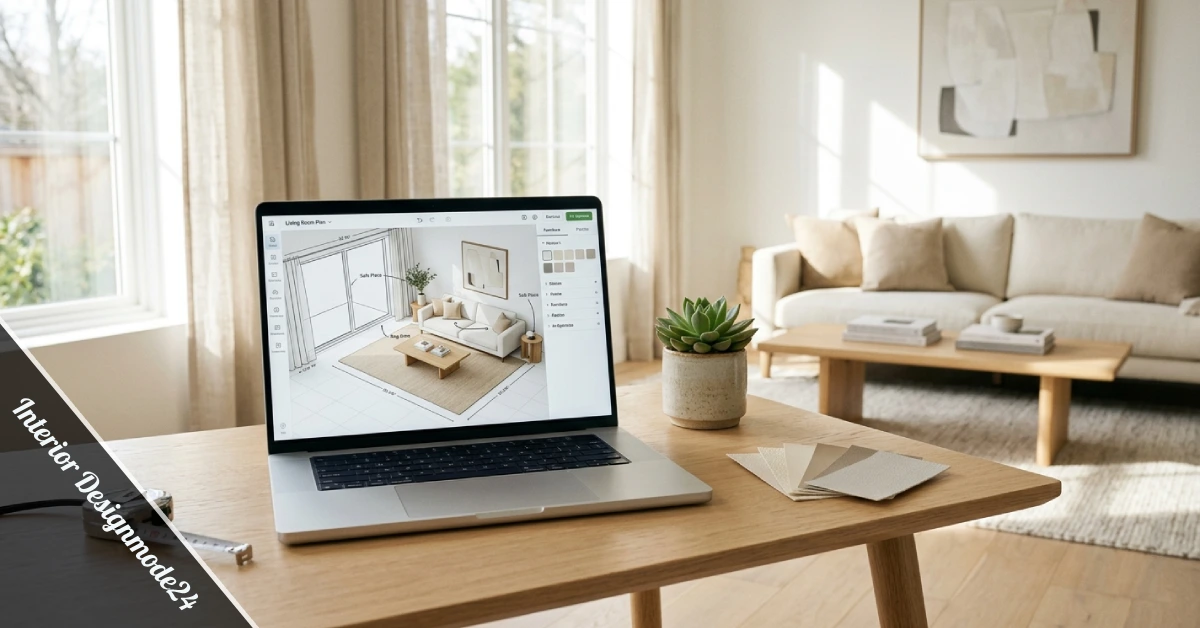
Once the AI generates your layout and palette options, the real work begins — and it’s mostly the good kind. You can toggle between layout options, swap out individual furniture pieces, and preview how different accent wall colours look in your specific room. The visualisation isn’t photorealistic, but it’s detailed enough to be useful for real decisions.
The implementation stage is where Interior Designmode24 hands the baton back to you. It provides a shopping list, a priority order (what to address first for the biggest visual impact), and basic “how to” guidance for arrangements. For anyone who wants to see what a professionally guided room overhaul looks like before committing to a direction, browsing examples of luxury room makeovers can give you a strong reference point for what’s achievable when design elements are working together properly. What the platform doesn’t do is show up and move your couch for you — but you knew that already.
What Are the Real Advantages and Limitations of Designmode24?
Advantages:
- Accessible to people with zero design background
- Personalised to your actual room dimensions, not hypothetical ones
- Significantly cheaper than hiring a professional interior designer
- Colour and furniture suggestions update based on what you already own
- Covers sustainability and budget simultaneously
- Works well for common American apartment and home layouts
- Saves time by narrowing choices rather than multiplying them
- Reduces the risk of expensive furniture mistakes
Limitations:
- AI can’t replicate the experience of touching materials in person — fabric weight, wood grain, paint sheen only register in real life
- Suggestions can feel generic for spaces with unusual architectural features (vaulted ceilings, asymmetrical floor plans, historic details)
- The furniture database skews toward mid-range mass-market retailers — if you’re shopping independent makers or vintage markets, you’ll need to supplement
- No live consultation option if you want a human to weigh in
- Learning curve of about 20–30 minutes before the tools feel intuitive
Who This Is NOT For: If you own a 1920s craftsman bungalow and want to honour its original character, or you’re designing a space that needs to meet accessibility requirements, or your entire aesthetic lives in a very niche corner of design history — Designmode24 will feel limiting. It’s built for modern, functional spaces, not highly specific or historically sensitive ones. Likewise, if you’re someone who genuinely enjoys the process of browsing showrooms and working with a designer in person, this platform’s digital-first approach won’t scratch that itch. In that case, working with a virtual interior designer who brings human judgment to the process might be a better fit for your needs.
The Bottom Line
Here are the key takeaways from this Interior Designmode24 review:
- It works best for standard American apartments and homes where dimensions are fairly conventional, and the goal is functional, attractive everyday living
- The AI tools are most useful at the planning stage — before you spend money — rather than as a decorating shortcut after the fact
- It won’t replace the tactile experience of shopping in person, but it will reduce the number of expensive guesses you make
- Budget-conscious renters and first-time homeowners will get the most out of it; people with complex spaces or highly specific aesthetics may find it limiting
The best design tool is one you’ll actually use — and Interior Designmode24 is practical enough that most people will stick with it past the first session. If you’ve been staring at a room that doesn’t quite work and haven’t known where to start, it’s worth 15 minutes of your time to put in your measurements and see what comes back. You might be surprised how much clarity a little structure brings.
Have you tried Designmode24 or a similar platform? Drop a comment below and share what worked — or what didn’t — in your space.
FAQs
Is Interior Designmode24 free to use?
The platform offers a free tier with core features and a paid subscription for advanced AI tools and extended furniture databases. Most basic room planning functions are accessible without paying.
Can it help with really small spaces?
Yes — small apartments are arguably where it performs best. The space constraints give the AI clearer parameters to work within, and the storage recommendations are particularly strong for compact layouts.
How accurate is the AI visualisation?
Accurate enough to make real furniture decisions, but not photorealistic. Think of it as a detailed draft, not a finished rendering.
Is it better than hiring a real designer?
For most people redesigning a standard living room or bedroom on a $500–$2,000 budget, it’s a practical alternative. For full home renovations or complex projects, a human designer still offers judgment and experience the AI can’t replicate.
What if I don’t know my design style?
The platform includes a style quiz that uses visual examples rather than design vocabulary — it’s genuinely helpful for people who know what they like but can’t name it.