

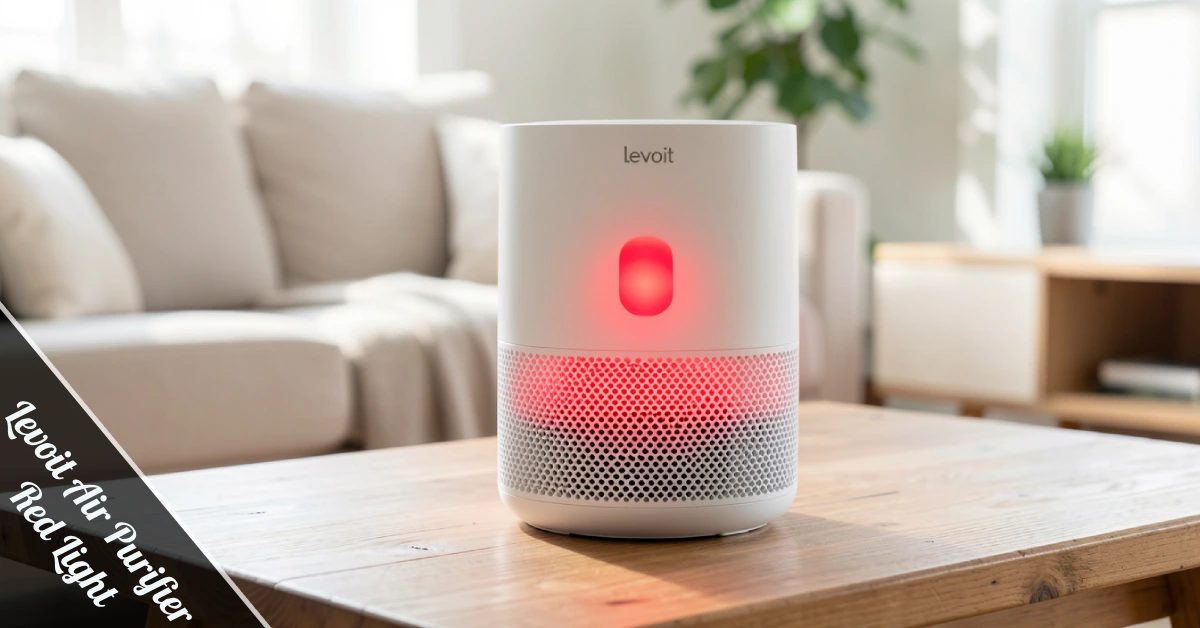
You’re chilling at home, glancing at your Levoit air purifier, and boom—there’s a red light staring back at you like a tiny alarm bell. What’s the deal? Is your air purifier broken, or is it just throwing a tantrum because it needs attention?
Here’s the truth: that Levoit Air Purifier red light isn’t a sign your device is toast. It’s actually your purifier’s way of tapping you on the shoulder and saying, “Hey, I need a little maintenance here.” Most of the time, it’s about the filter—either it’s dirty, clogged, or hasn’t been installed correctly. Sometimes, it’s just the internal timer acting up after you’ve swapped in a new filter.
This guide breaks down exactly what that red light means, why it’s glowing, and how to fix it without calling tech support or tossing your purifier in the trash. We’ll walk through troubleshooting steps, reset instructions, filter replacement tips, and common mistakes people make. By the end, you’ll know how to handle that red light like a pro and keep your indoor air quality on point.
What Does the Levoit Air Purifier Red Light Actually Mean?
The red light on your Levoit air purifier is basically a built-in warning system. It’s not there to freak you out—it’s there to help you keep your device running smoothly and your air clean. Think of it like the check engine light in your car, except way easier to fix.
In most cases, the Levoit Air Purifier’s red light signals one main thing: your filter needs attention. Levoit uses mechanical filters—HEPA filters, pre-filters, and activated carbon filters—that trap dust, pollen, pet dander, smoke, and other airborne particles. Over time, these filters get packed with junk and lose efficiency. When that happens, the red light kicks on to let you know it’s time for a filter check or replacement.
But it’s not always about a dirty filter. Sometimes the red light appears because the filter wasn’t installed correctly after cleaning or replacement. Maybe you forgot to remove the plastic wrapping from a new filter, or the filter isn’t seated properly in its compartment. In rare cases, the red light can pop up due to a system glitch—like the internal timer not resetting after you’ve installed a fresh filter.
Here’s what the red light might be telling you: filter lifespan reached, filter installation issue, damaged or broken filter, or internal timer malfunction. Knowing which one applies to your situation helps you fix it faster. Most Levoit models—like the EverestAir, Core 600S, Vital 200S, and LV-H132—use similar warning systems, so the troubleshooting steps are pretty universal.
Bottom line? Don’t panic. The red light is actually proof that your purifier is doing its job by monitoring its own performance and keeping you in the loop.
Common Reasons Why Your Levoit Shows a Red Light
Let’s break down the usual suspects. The most common reason is simple: your filter has reached the end of its lifespan. Levoit filters typically last between six and eight months, depending on usage and air quality in your space. If you’ve got pets, smoke indoors, or live in a dusty area, your filter will clog faster. Once it’s saturated, the red light flips on.
Another frequent culprit is incorrect filter installation. Maybe you pulled out the old filter, popped in a new one, but didn’t align it properly. Or you left the plastic wrapping on—yep, that happens more than you’d think. If the filter isn’t seated right, the purifier detects something’s off and triggers the red light. It’s like a safety check to make sure everything’s locked in place.
Sometimes the filter itself is damaged. If you mishandled it during installation, or something punctured the filter material, the purifier might flag it. This is less common but still worth checking if the red light won’t turn off even after reinstalling the filter. A torn or compromised filter won’t clean your air effectively, so your device won’t let it slide.
Then there’s the system glitch scenario. You’ve just installed a brand-new filter, everything looks good, but the Levoit Air Purifier red light is still glowing. This usually means the internal timer didn’t reset. It’s a minor software hiccup, not a hardware failure. You’ll need to manually reset the filter indicator, which is a quick fix we’ll cover in the next section.
One more thing: if you’re running your purifier 24/7 in a high-pollution environment—like near construction sites or heavy traffic—your filter will clog way faster than the standard timeline. That red light is just doing its job by keeping you informed.
How to Fix the Red Light on Your Levoit Air Purifier
Ready to tackle that red light? Here’s the step-by-step process. First, disconnect your purifier from the power source. Safety first—always unplug before you start messing with the filter compartment. Once it’s off, locate the filter compartment. On most Levoit models, you’ll twist the casing or lift the top/bottom panel. Some models have a rear hatch door. Check your manual if you’re unsure.
Next, remove the filter and inspect it. Does it look dirty, clogged with dust, or discolored? If so, it’s time for a replacement. Levoit filters aren’t washable, so don’t try cleaning them with water or soap—that’ll ruin them. If the filter looks clean or you just installed a new one, the issue might be installation-related. Pull it out and reinstall it carefully, making sure it clicks into place and sits flush in the compartment.
If you’re installing a new filter, make sure you’ve removed all plastic wrapping and packaging. Slot it into the compartment following the directional arrows or legends printed on the filter. For Levoit Core models, the filter is cylindrical and pretty straightforward. For Vital or EverestAir models, the design differs slightly, so double-check the orientation before securing it.
Now here’s the crucial part: resetting the filter indicator. After replacing or reinstalling the filter, hold down the filter change button on your purifier’s control panel for three to five seconds. The red light should disappear, confirming the reset worked. If you own a Levoit PUR131, the reset process is a bit different—you’ll need to locate the reset button on the back and press it with a small screwdriver for five seconds until you hear a beep.
If the red light still won’t turn off after all this, there might be an internal fault. In that case, contact Levoit’s customer support or check the warranty. But honestly, that’s rare—most red light issues are solved with a fresh filter and a quick reset.
Can You Use Your Levoit While the Red Light Is On?
Technically, yes. Your purifier won’t shut down just because the red light is on. It’ll keep running, but here’s the catch: it won’t be doing much good. A clogged or saturated filter loses its ability to trap pollutants effectively. That means dust, pollen, smoke, and allergens are slipping back into your air instead of being captured.
Think of it like this: your purifier is working harder but delivering weaker results. The motor is still pulling air through the system, but with a compromised filter, the air coming out isn’t as clean as it should be. If you’re running your Levoit Air Purifier red light on for weeks without addressing the issue, you’re basically wasting electricity while breathing in subpar air quality.
There’s also the airflow problem. A clogged filter restricts airflow, which puts extra strain on the motor. Over time, this can reduce the lifespan of your purifier and even cause overheating or mechanical issues. So while you can technically keep using it, you’re risking long-term damage to the device.
If you’re waiting for a replacement filter to arrive, sure—keep the purifier running. But don’t let it drag on for months. Order a new filter ASAP and swap it out as soon as it shows up. In the meantime, you can extend the filter’s working life slightly by vacuuming the pre-filter gently to remove surface dust. Just don’t use water or cleaning solutions, and don’t expect miracles.
The bottom line? The red light is there for a reason. Ignoring it means you’re compromising your indoor air quality and potentially shortening your purifier’s lifespan. Fix it, reset it, and get back to breathing cleaner air.
How Often Should You Change Your Levoit Filter?
The standard recommendation is every six to eight months. But that’s just a baseline—your actual filter lifespan depends on how you use your purifier and what it’s dealing with. If you’re running it 24/7 in a high-pollution environment, expect to change the filter more frequently. If you only run it a few hours a day in a clean space, it might last longer.
Here’s what affects filter lifespan: usage frequency, air quality in your home, presence of pets, indoor smoking, and proximity to pollution sources like construction or traffic. For example, if you’ve got two dogs and a cat, your filter will clog with pet dander way faster than someone living in a pet-free apartment. The same goes for smokers—cigarette smoke saturates filters quickly.
Levoit’s premium models, like the EverestAir, can last up to 15 months thanks to higher-quality filters and advanced filtration systems. But again, that’s under ideal conditions. Don’t rely solely on the timer—check your filter every few months to see its actual condition. If it looks dark, clogged, or visibly dirty, replace it even if the timer hasn’t hit the six-month mark yet.
You can slightly extend your filter’s life by cleaning the pre-filter. Most Levoit models have a washable or vacuumable pre-filter that catches larger particles like hair and dust before they reach the HEPA filter. Gently vacuum it every couple of weeks to keep airflow strong. But remember: pre-filter maintenance is just a bonus—it doesn’t replace the need for full filter replacement when the Levoit Air Purifier red light tells you it’s time.
Mark your calendar or set a reminder on your phone when you install a new filter. That way, you won’t forget and end up running a saturated filter for months. Trust me, your lungs will thank you.
Troubleshooting Tips: If the Red Light Won’t Turn Off
You’ve replaced the filter, reset the indicator, and the red light is still mocking you. Frustrating, right? Here’s what to check next. First, make sure the filter is installed correctly. Pull it out and reinstall it, paying close attention to alignment and orientation. Some filters have arrows or labels showing which side goes up—follow those. If it’s crooked or loose, the purifier might not recognize it as properly installed.
Next, verify you’ve removed all packaging. New filters come wrapped in plastic to keep them clean during shipping. If you didn’t peel off every layer, the purifier won’t function correctly, and the red light will stay on. Check for plastic wrapping, cardboard inserts, or protective seals. Remove everything before reinstalling.
Try the reset process again, but this time hold the button longer—seven to ten seconds instead of five. Some models need a longer press to fully reset the internal timer. If your model has multiple buttons, make sure you’re pressing the right one—usually labeled “filter reset” or marked with a filter icon.
If you’ve tried everything and the light’s still on, there might be a sensor issue or internal fault. Unplug the purifier, wait 30 seconds, then plug it back in and try resetting again. Sometimes a full power cycle clears minor glitches. If that doesn’t work, consult your user manual for model-specific troubleshooting steps or contact Levoit’s support team.
One last thing: if you bought a third-party or off-brand replacement filter, that could be the problem. Levoit purifiers are designed to work with genuine Levoit filters. Knock-offs might not fit properly or trigger the sensor correctly, leaving you stuck with a red light that won’t quit. Stick with official filters to avoid headaches.
Final Thoughts: Keep Your Air Clean and Your Purifier Happy
The Levoit Air Purifier red light isn’t a disaster—it’s a helpful nudge to keep your device running at peak performance. In most cases, it’s a simple filter issue that takes five minutes and a replacement filter to fix. By staying on top of filter changes, resetting the indicator properly, and checking installation, you’ll keep that red light off and your indoor air quality high.
Regular maintenance isn’t just about avoiding the red light—it’s about breathing cleaner air, reducing allergens, and getting the most out of your investment. A well-maintained purifier works better, lasts longer, and saves you money in the long run. Plus, you’ll sleep better knowing your air is actually being cleaned, not just circulated with a clogged filter doing half the job.
So next time that red light pops up, you know exactly what to do. Pop open the filter compartment, check the filter, swap it if needed, and hit reset. Easy. And if you ever get stuck, Levoit’s support team is there to help. Now go ahead—breathe easy.